App Redesign

Created for Foodnoms. September 2025.

Updating the interface of an established nutrition-tracking app to support a new Liquid Glass design language for Apple software platforms.

I was contacted in the summer of 2025 about working with independent developer Ryan Ashcraft to update Foodnoms, his popular nutrition tracking app, for Apple's new design language in iOS 26. After drafting some initial ideas for how Foodnoms could adapt and take advantage of various elements of this new design, I was brought onboard as the primary UI/UX designer for a complete visual overhaul of the app to support new Apple's design guidelines.

This project was approached with two primary objectives: (1) to utilize Apple's new "Liquid Glass" design elements in a way that was faithful to the intention of Apple's interface design team and (2) to take advantage of the opportunity to simplify existing elements of the app.

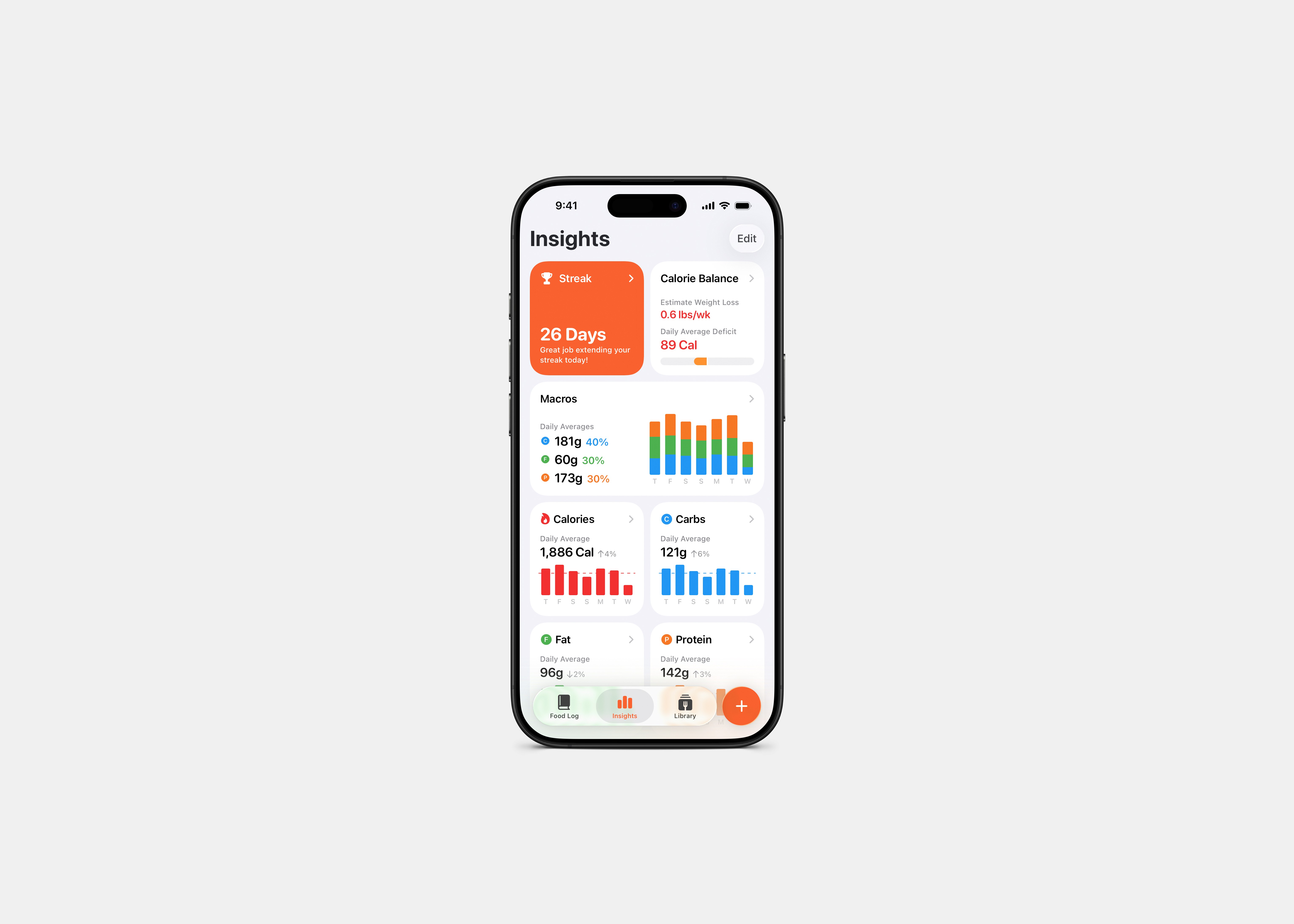
We encountered a number of problems. First, Apple's stated "best practices" for Liquid Glass discouraged keeping several parts of Foodnoms' existing interface: mainly using both a tab bar and toolbar buttons at the bottom of the main view. Our primary challenge was to design a new navigation structure that kept the key "plus" input button in a reachable location at the bottom of the screen. Initially, we removed the app's tab bar to create a single, integrated experience for all the app's views. Following initial user feedback, however, we opted to preserve the tab bar and floating input button, despite the deviation from official Liquid Glass guidelines.

Creating the app's new core navigation was a highly iterative process. I worked closely and actively with the developer as I created visual mockups of potential designs and they prototyped those layouts in real time. Our ultimate tradeoff was an intentional, thoughtful answer to a problem with no clear solution and will continue to evolve in the future alongside changes to iOS design principles.

The final design for this update to Foodnoms consists of a more robust integrated daily summary of the users nutrient goals, meals and nutritional summaries. Additional views, such as a collection of data "Insights" and a user's library of custom meals, recipes, and foods are quickly accessible from the tab bar. In addition to my UX work on the app's core navigation, I created hundreds of design boards and mockups in Sketch to facilitate and actively redesign every major feature in the app. I reorganized the app's settings page with a simpler layout, developed the new "Insights" dashboard from the ideation phase to the final product.

Let's Connect.

Inquire about a project, discuss an opportunity, or connect about design.